UTM Templates
Availability: UTM parameters and templates are available on every plan, including Free. Template limits depend on your plan.
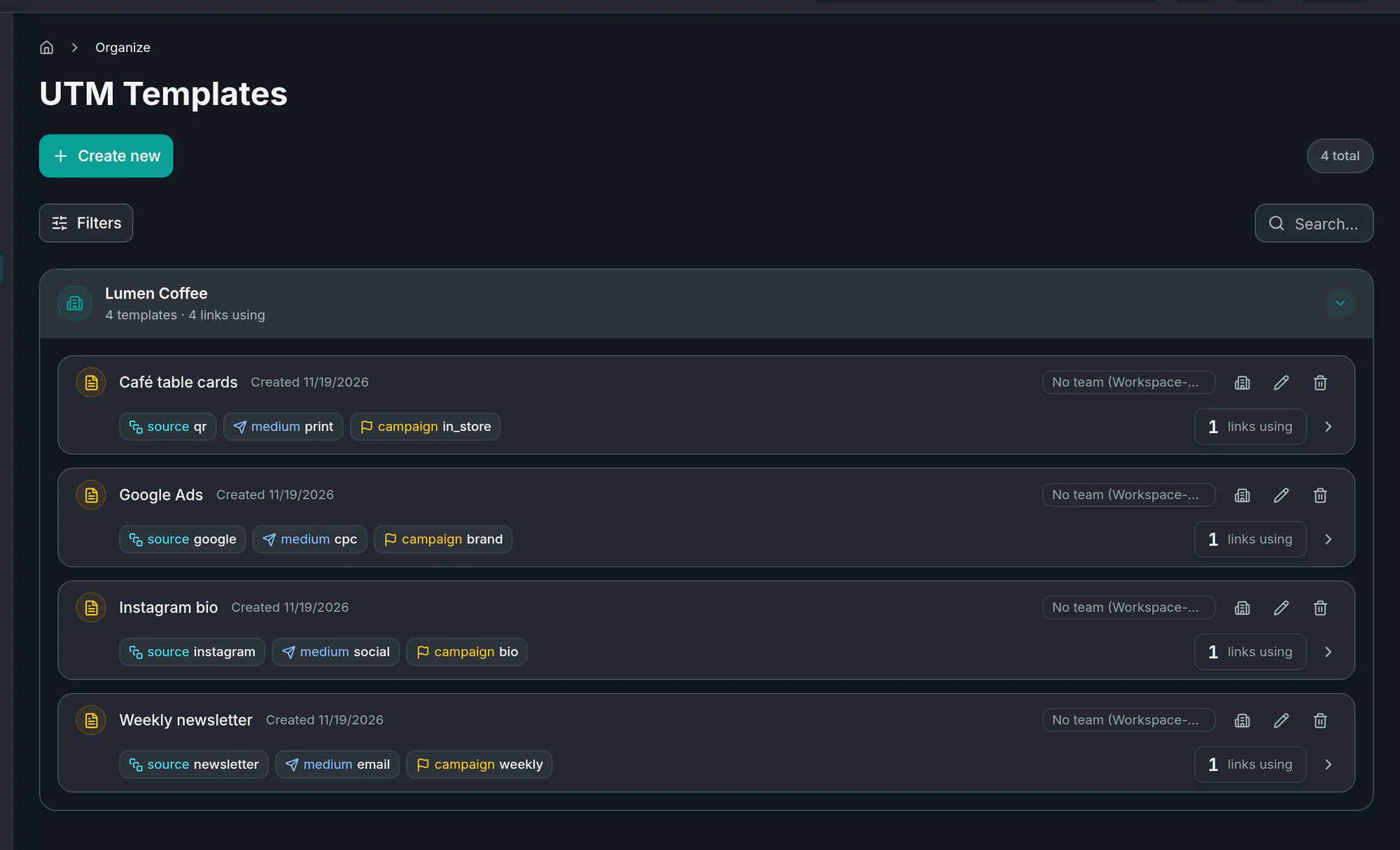
A UTM template is a saved set of UTM parameters with a name, so you don’t retype the same values for every link. A template belongs to a workspace and, optionally, to one or more teams in it.
- Create and manage templates from Organize → UTM Templates in the sidebar. Select Create new, choose where the template belongs, then set its values.
- Apply a template to a link to fill in its UTM fields at once.
- While a link uses a template, its UTM values are the template’s: they can’t be changed on the link alone. Editing the template updates every link that uses it.
- To change a parameter on one link, remove the template from that link first. The link keeps the values as its own, and you can then edit them.
- To change the workspace or teams a template belongs to, use Change placement. If links that use it would lose access, choose whether they keep its values as their own or lose them.
Deleting a template
Select the trash icon on a template to delete it. Deleting is permanent: a deleted template can’t be recovered. If links use the template, choose what happens to them:
- Keep the values on the links (the default): each link keeps the template’s UTM values as its own, no longer tied to a template. Visitors see no change.
- Remove the values from the links: the links lose those UTM values, so visitors no longer arrive with them.
With the API, DELETE /api/v1/utm-templates/{id} keeps the values, and ?links=clear
removes them (requires the utm-templates:write scope). The response’s links_updated
says how many links were changed.
Template limits
Each plan sets how many UTM templates you can save:
| Plan | UTM templates |
|---|---|
| Free | 3 |
| Starter | 25 |
| Professional | 100 |
| Agency | 500 |
See plans.
Last updated on